Feb 13 2026 Feedback.

Google Search the Manual:
PrevICM User's Guide
9.5 Graft Loop
Next

Available in the following product(s): Homology

To transfer a loop from one object to another:
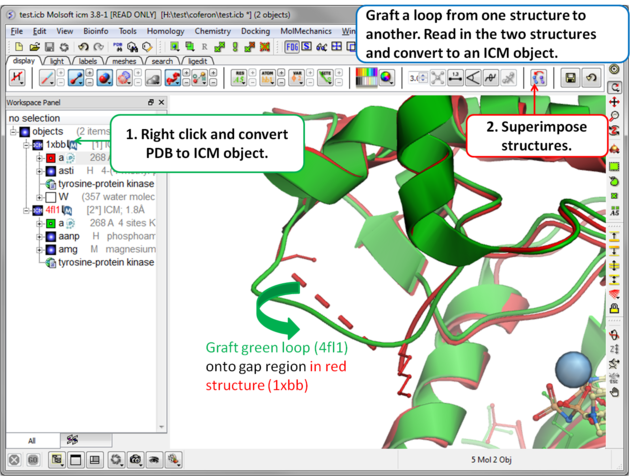
Step 1: Read in the structures and convert to ICM objects.
  • Read in the two structures into ICM.
  • Convert the structures to an ICM Object.
  • Superimpose the two structures.

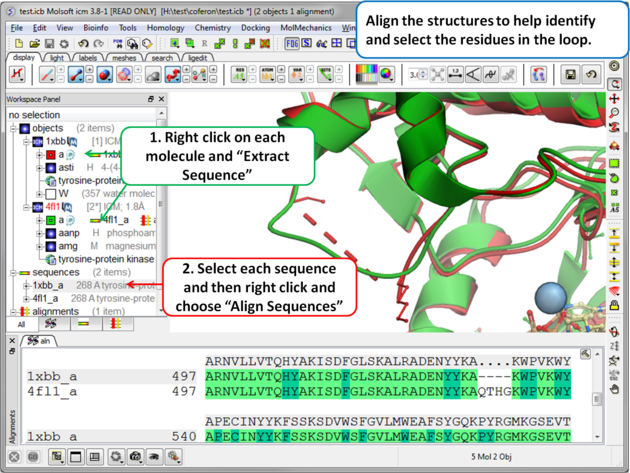
Step 2 (Optional): To help identify and select the gap region you can align the PDB sequences.
  • Right click on the protein molecule in each object and choose the option "Extract Sequences"
  • Select the sequences in the ICM Workspace by double clicking on one sequence- hold CTRL- and click on the other sequence.
  • Right click on the selected sequences and choose the Align option.

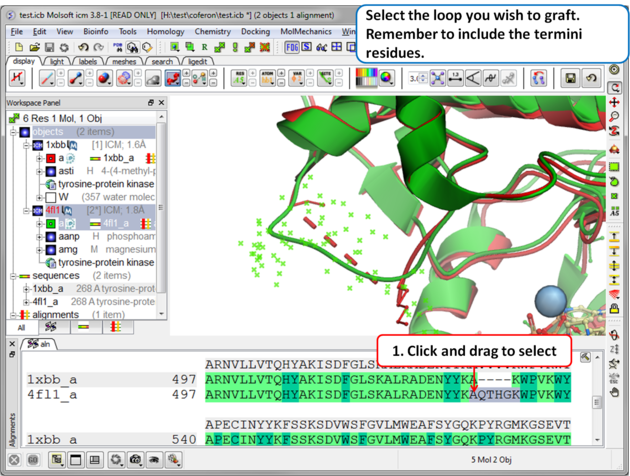
Step 3: Select the source loop.
  • Select the loop and the termini residues (e.g. click and drag over them in the alignment).

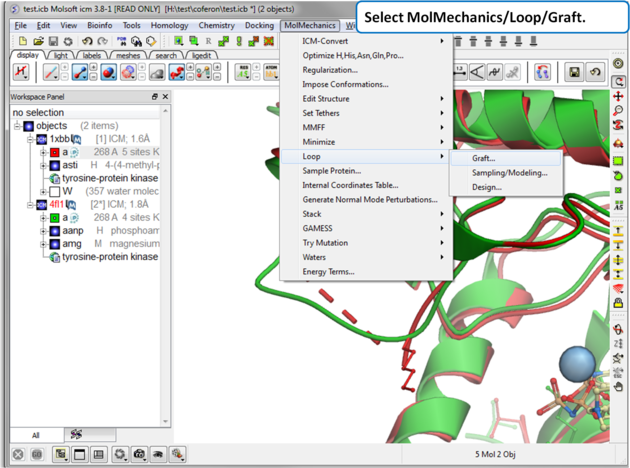
Step 4: Select MolMechanics/Loop/Graft

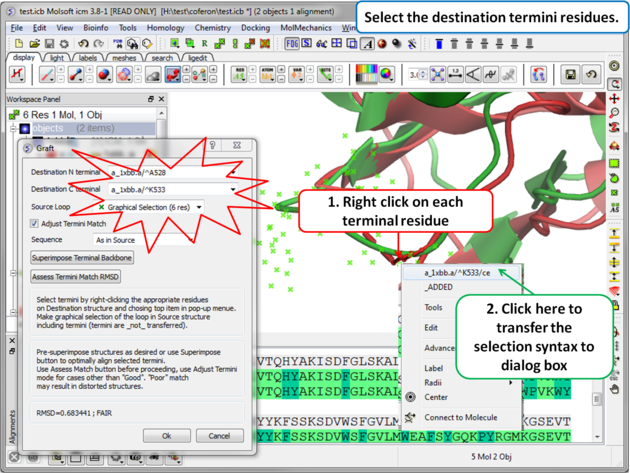
Step 5: Select the termini residues of the structure with the gap (destination).
  • Right click on the N-terminal residue flanking the gap and then left click on the top item of the menu. This will transfer the selection to the dialog box.
  • Right click on the C-terminal residue flanking the gap and then left click on the top item of the menu. This will transfer the selection to the dialog box.

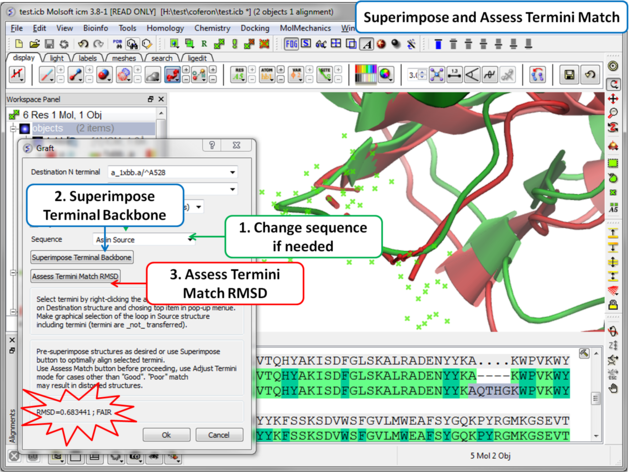
Step 6: Superimpose termini backbone and assess the quality of the match.

  • You can change the sequence of the residues in the grafted gap (click on the drop down button in the Sequence dialog box).
  • Click on the superimpose terminal backbone button.
  • Use "Assess Match" button before proceeding, the RMSD and report will be displayed in the terminal box. Use adjust termini mode for cases other than Good.
  • Click OK.

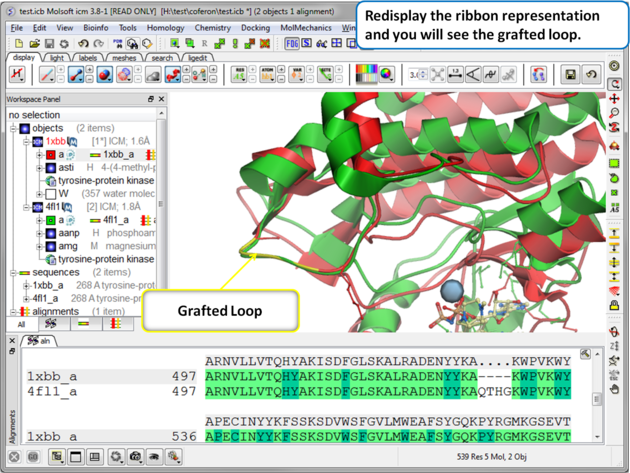
Step 7: Display the grafted structure. Sometimes you may need to refresh the ribbon display to view the new loop.


Prev
Design Loop
Home
Up
Next
Loop Preferred Residues

Copyright© 1989-2026, Molsoft,LLC - All Rights Reserved.
This document contains proprietary and confidential information of Molsoft, LLC.
The content of this document may not be disclosed to third parties, copied or duplicated in any form,
in whole or in part, without the prior written permission from Molsoft, LLC.